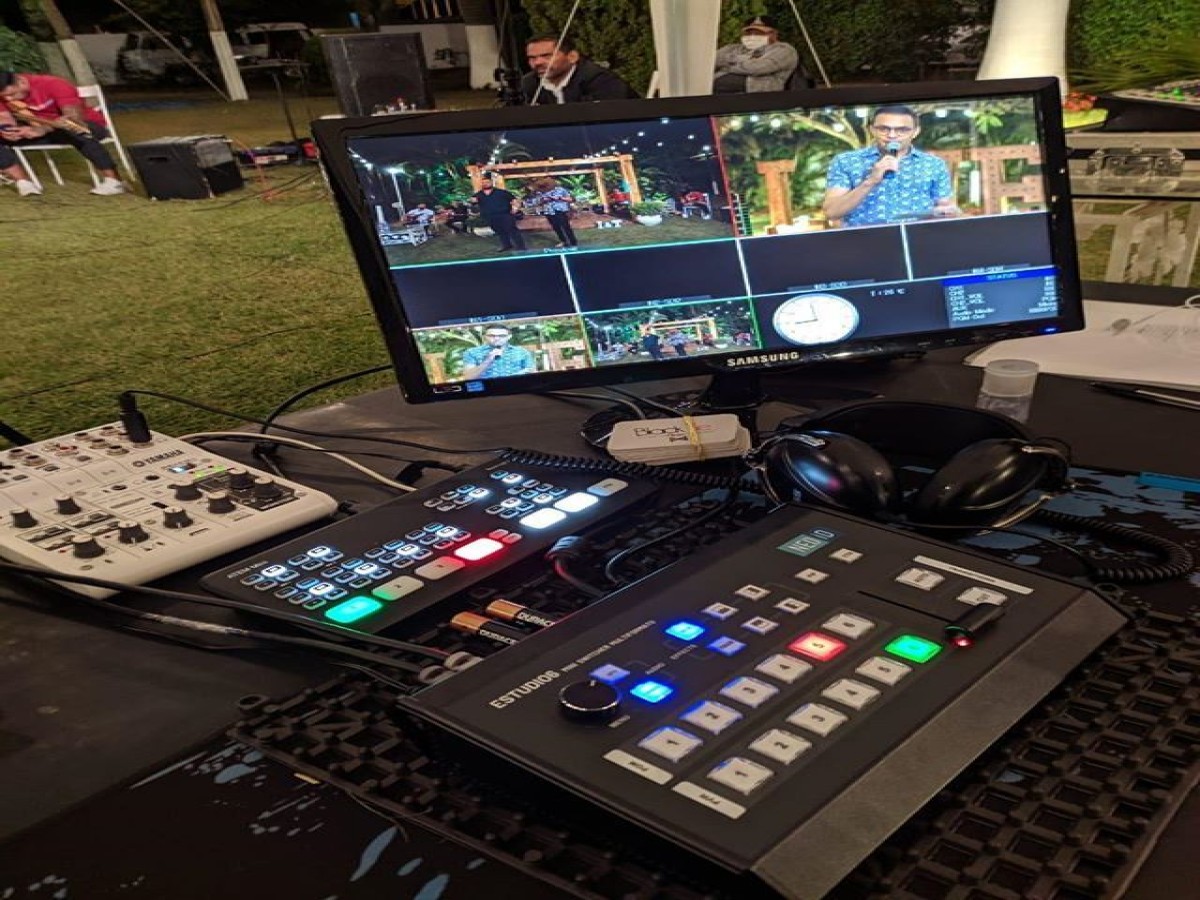
How to Choose a Reliable Video Conferencing Setup on Rent
In today’s digital-first business environment, video conferencing has become an essential communication tool for organizations worldwide. From corporate meetings and boardroom discussions to training programs, webinars, and hybrid events, video conferencing enables seamless collaboration across locations. However, the success of any virtual meeting depends largely on the quality and reliability of the video conferencing setup.
Choosing the right video conferencing setup on rent is a critical decision that impacts communication efficiency, professionalism, and overall experience. This blog explains how to choose a reliable video conferencing setup on rent and what key factors businesses should consider before making a decision.
Understanding Your Video Conferencing Requirements
Before selecting a rental setup, it is important to clearly define your requirements. Different meetings and events demand different technical configurations.
Consider the following factors:
- Size of the room or venue
- Number of participants (in-room and remote)
- Type of event (meeting, training, webinar, conference)
- Preferred video conferencing platform
- Duration and frequency of use
Understanding these requirements helps you choose a setup that delivers optimal performance without unnecessary cost.
Evaluate the Quality of Audio and Video Equipment
Audio and video quality are the foundation of any successful video conferencing experience. Poor sound or unclear visuals can lead to misunderstandings and reduced engagement.
A reliable video conferencing setup on rent in Delhi NCR should include:
- High-definition or 4K cameras with wide-angle or PTZ capabilities
- Professional microphones with noise cancellation
- High-quality speakers for clear sound output
Ensure that the equipment provided is tested, well-maintained, and suitable for professional use.
Check Compatibility with Video Conferencing Platforms
Most organizations use popular platforms such as Zoom, Microsoft Teams, Google Meet, Webex, or similar applications. The rented setup must be fully compatible with your preferred platform.
A reliable rental provider ensures:
- Smooth integration with conferencing software
- Easy screen sharing and presentation display
- Stable connectivity and platform support
Platform compatibility ensures a seamless experience for both in-room and remote participants.
Consider Display and Screen Options
Display quality plays a significant role in communication effectiveness. Depending on the venue and audience size, you may require different display solutions.
Common display options include:
- LED or Plasma TVs for boardrooms
- Projectors for conference rooms and training halls
- LED walls on rent for large conferences or hybrid events
Choosing the right display ensures clear visibility of participants, presentations, and shared content.
Assess the Internet Connectivity and Network Support
Even the best equipment cannot perform well without a stable internet connection. Reliable video conferencing depends heavily on bandwidth, network stability, and latency.
When choosing a rental setup, ensure that:
- Internet requirements are clearly defined
- Network compatibility is tested in advance
- Backup solutions are available if needed
A professional rental provider will assess connectivity and help optimize network performance.
Importance of Professional Installation and Setup
Professional installation is a key indicator of a reliable video conferencing setup on rent. Proper placement of cameras, microphones, displays, and speakers ensures optimal performance.
Professional setup includes:
- Camera positioning for natural viewing angles
- Audio calibration to eliminate echo and noise
- Lighting adjustment for clear video quality
- System testing before the meeting or event
This level of setup minimizes technical issues and ensures a polished, professional experience.
Evaluate Technical Support and On-Site Assistance
Technical support is one of the most important factors when renting a video conferencing setup. Even minor issues can disrupt important meetings.
A reliable rental provider offers:
- Pre-event testing and checks
- On-site or remote technical support
- Immediate troubleshooting during meetings
Strong technical support ensures peace of mind and uninterrupted communication.
Compare Rental Costs and Value
While cost is an important factor, it should not be the sole decision-making criterion. The cheapest option may compromise quality and reliability.
When evaluating rental costs, consider:
- Equipment quality and specifications
- Installation and support services included
- Duration and scope of rental
- Backup and contingency support
A reliable video conferencing setup on rent delivers value through quality, support, and performance.
Check Provider Experience and Reputation
The experience and reputation of the rental provider play a significant role in service reliability. Experienced providers understand common challenges and know how to address them effectively.
Before finalizing a provider:
- Review client testimonials and feedback
- Assess experience in corporate and event setups
- Verify responsiveness and communication
A trusted provider ensures professionalism and dependable service.
Ensure Security and Privacy Standards
Security is critical in business communication. A reliable video conferencing setup should support secure platforms, encrypted connections, and controlled access.
Ensure that:
- The setup supports secure conferencing platforms
- Access controls and passwords are enabled
- Data privacy guidelines are followed
Security ensures confidentiality and protects sensitive business information.
Test the Setup Before Final Use
Testing is a crucial step in choosing a reliable video conferencing setup on rent. A trial or pre-event test ensures that all components work smoothly.
Testing should include:
- Audio and video clarity
- Screen sharing and presentation flow
- Internet stability
- Platform functionality
Pre-testing reduces the risk of technical issues during important meetings.
Renting vs Buying: Why Renting Makes Sense
Renting a video conferencing setup offers several advantages over buying:
- Lower upfront costs
- Access to the latest technology
- No maintenance or upgrade concerns
- Flexibility for short-term or event-based use
For most organizations, renting is a practical and cost-effective solution.
Conclusion
Choosing a reliable video conferencing setup on rent is essential for successful virtual meetings, conferences, and hybrid events. By focusing on equipment quality, platform compatibility, professional installation, technical support, and provider reliability, businesses can ensure smooth and professional communication.
A well-chosen video conferencing rental setup enhances collaboration, strengthens professional image, and supports efficient decision-making. In an increasingly digital business world, selecting the right rental solution is a strategic investment in effective communication.